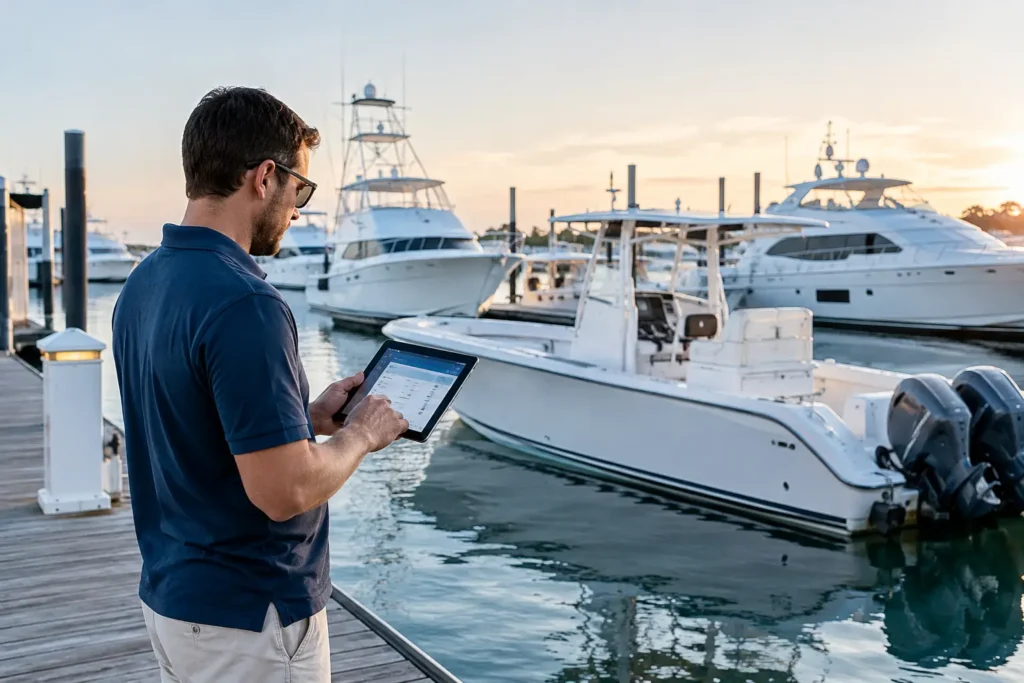
A captain steps off a yacht, another steps on, and the vessel still has to move. Guests are arriving Friday. The port generator has a temperamental alarm. A tender service is due. There is a weather window worth watching. This is where captain handover tools earn their place – not as another app to feed, but as the operational record that prevents good information from walking down the dock with the departing captain.
A proper handover protects the yacht, the crew, the owner, and the incoming captain. It turns the phrase “you should probably know about this” into a clear, traceable action with context. Built from the water up, that is the standard worth aiming for.
Why Captain Handover Tools Matter
Most handovers do not fail because a captain is careless. They fail because vessel knowledge is scattered. A critical note sits in a text thread. The latest engine hours are written in a notebook. A vendor quote lives in someone’s email. The chief stew knows the owner prefers a particular wine chilled at a particular temperature, but it never made it into the guest file.
That may work while the same people remain aboard. It becomes a liability during rotation, a busy charter season, an unexpected medical leave, or a fast changeover between trips. The incoming captain should not have to reconstruct the vessel’s operating picture from a whiteboard, an inbox, and five separate conversations.
Good captain handover tools create one working source of truth. The goal is not to document every breath taken onboard. The goal is to capture the items that affect safety, compliance, maintenance, guest experience, money, and the next 30 days of operations.
What a Useful Captain Handover Includes
A handover document that reads like a novel will not get used. One that only says “all good” is worse. The useful middle ground is a live record organized around decisions, deadlines, and open loops.
Vessel condition and active defects
Start with what is broken, degraded, intermittent, or awaiting a decision. Include the system, symptom, current status, what has already been tried, and who is involved. “Port-side shore power issue” is not enough. “Port 100A shore connection trips after 20 minutes under galley load; electrician inspected inlet, replacement part quoted, temporary load-management procedure in place” gives the next captain something usable.
Photos, fault codes, service reports, and equipment details matter here. So do engine hours and dates. A vague problem passed from one captain to another has a way of becoming an expensive problem.
Maintenance, service, and yard work
The incoming captain needs to know what is due, what is booked, and what cannot slip. That includes routine maintenance, class or flag requirements where applicable, warranty work, hauling plans, tender servicing, safety-equipment inspections, and recurring failures that deserve attention.
Each task should have an owner, date, priority, estimated cost if known, and supporting records. If a vendor is waiting on a deposit or a part is backordered, say so plainly. A handover system should also show what work was completed, not just what remains open. That history prevents duplicate calls and lets the crew see whether a repair is actually holding.
Crew, watches, and operating rhythm
A captain’s handover is also a people handover. Note current crew rotations, leave dates, certifications due, training needs, watchkeeping concerns, and any role coverage gaps. If a deckhand is qualified to run the tender but needs more practice with the crane, that is useful operational information. If the engineer has been covering two departments through a short-staffed period, the next captain needs to see that too.
Keep this professional and factual. The handover is not the place for personality disputes or loose opinions. Record performance or conduct matters through the proper management process, with appropriate access controls. For day-to-day continuity, focus on staffing, capability, schedules, and safety.
Guest and owner preferences
Guest-facing details can be operationally critical. Preferences for provisioning, dietary restrictions, watersports setups, security arrangements, family routines, and arrival logistics often make the difference between a calm trip and a scramble.
This information needs careful permissions. Not every crew member needs access to every owner detail, and old preferences should not become permanent assumptions. The best systems let the right team see current, approved guest information while maintaining a clear audit trail.
Financial commitments and vendors
Open purchase orders, invoices waiting for approval, budget pressure, vendor disputes, and insurance matters should all be visible. The same goes for fuel planning, dockage commitments, and scheduled deliveries.
A captain does not need to turn the handover into an accounting ledger. But the next person needs enough context to avoid approving the same work twice, missing a payment deadline, or discovering a major cost after the work is already underway. Connecting maintenance jobs, inventory, and service records to financial data is where software beats a spreadsheet that has been copied one too many times.
The Best Workflow Is Built During the Rotation
The biggest mistake is treating handover as a document created during the final night onboard. By then, details have been lost and priorities are competing for attention. Handover should be a running discipline.
During the rotation, crew and department heads should add updates where the work happens: at the dock, in the engine room, during a guest trip, or after a vendor visit. A captain reviews the open items, adds context where decisions are required, and confirms priorities before leaving. That produces a handover that is current instead of ceremonial.
Mobile access is non-negotiable. A paper binder still has value for required onboard records and emergency reference, but it cannot notify a captain that a task changed status or make a service report searchable from the dock. Likewise, a generic project-management tool can track tasks, but it often lacks the vessel-specific fields that make a record meaningful: equipment location, engine hours, Hull ID, part numbers, technician notes, and the history behind a recurring issue.
The practical answer may be a mix. Keep the legally required records in the format your vessel requires, maintain an emergency quick-reference binder, and use a digital system for live operational work. The important part is that the records agree.
How to Choose Captain Handover Tools
Choose a platform based on how your crew actually works, not on the longest feature list. If the crew will only update it from a laptop in the office, it will be out of date before the next itinerary. If it cannot attach photos, documents, voice notes, and service history to a task, it will force the crew back into texts and email.
Look for a system that handles these operational basics:
- Role-based access for captains, department heads, crew, managers, and vendors.
- Searchable vessel records tied to equipment, maintenance tasks, documents, and history.
- Mobile task updates with photos, timestamps, and clear accountability.
- Recurring maintenance and compliance reminders that do not disappear after a rotation change.
- A dashboard that separates urgent items from routine work and completed history.
There are trade-offs. A small owner-operated boat may need a simpler records and maintenance app rather than a full crew platform. A 100-foot yacht with rotating crew needs stronger permissions, watchkeeping continuity, guest management, and cross-department visibility. A charter vessel may place more weight on guest preparation and turnaround checklists, while a private yacht may focus on owner preferences and long-term asset care.
The right tool should reduce double entry. If the engineer logs a repair, the captain should be able to see the status without asking for another report. If a part is used, inventory and cost records should reflect it. If a service company completes work, the invoice, report, and maintenance history should remain connected. That is operational control, not software for software’s sake.
A Handover Standard Worth Setting
Before a captain leaves, the incoming captain should be able to answer a few straightforward questions: What can stop us from operating safely? What is due next? What is waiting on a decision, a part, or a vendor? Who is on and off rotation? What must be ready for the next owner or guest movement?
If those answers require a scavenger hunt, the handover is not finished.
Yacht Logic is designed around this reality: spoken updates, photos, documents, maintenance history, crew tasks, and vessel data should become usable operations data, not another stack of admin work. The yacht does not pause while someone sorts through messages.
Set the expectation early: if it matters to the next watch, the next trip, or the next captain, it belongs in the record while the details are still fresh. That small habit keeps a handover from becoming a liability and gives every captain a cleaner start.